Toolbar Close Button
Add a close button (X icon) to the navigation bar's leading position. The button automatically dismisses the view and can optionally execute a custom action.
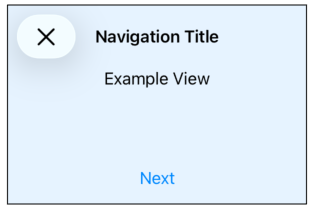
NavigationView {
    VStack(spacing: 0) {
        Text("Example View")
            .frame(maxWidth: .infinity)

        Spacer()

        Button("Next") {/* Handle press */}
        .padding()
    }
    .navigationTitle("Navigation Title")
    .navigationBarTitleDisplayMode(.inline)
    // Without action
    .toolbarCloseButton()
    // With action
    .toolbarCloseButton(action: {
        print("View was closed!")
    })
    .background(.blue.opacity(0.1))
}
.navigationViewStyle(.stack)
.frame(maxWidth: 300, maxHeight: 200)
.border(.black)
Copied!